Your Personal Audio Visual Event Planning Team Since 1988
Anywhere You Go, Nationwide
Your Personal Audio Visual Event Planning Team.
Anywhere You Go, Nationwide.
Flawless Event Technology Service for Meetings & Conferences in Denver, Colorado & Beyond
As a full-service event technology company, Image AV handles all your audio visual needs — live, hybrid, and virtual — so you don’t have to juggle multiple vendors or rely on expensive in-house AV.
Partnering with us turns AV into an asset — not a stressor.
Simplify Your Planning:
Tired of generic AV setups or last-minute tech issues? We bring structure, creativity, and total reliability.
Maximize Your Budget:
No hidden fees. Just expert AV production that stays within your budget — and helps you shine.
Nationwide Consistency:
Our crew travels with you to each event, improving results and ensuring a reliable, familiar team every time.
Advanced Tech, Delivered Thoughtfully:
High-end sound, LED walls, intelligent lighting, IMAG, custom screen graphics, and more — all backed by expert planning.
Flawless Event Technology Service for Meetings & Conferences in Denver, Colorado & Beyond
As a full-service event technology company, Image AV handles all your audio visual needs — live, hybrid, and virtual — so you don’t have to juggle multiple vendors or rely on expensive in-house AV.
Partnering with us turns AV into an asset — not a stressor.
Simplify Your Planning:
Tired of generic AV setups or last-minute tech issues? We bring structure, creativity, and total reliability.
Maximize Your Budget:
No hidden fees. Just expert AV production that stays within your budget — and helps you shine.
Nationwide Consistency:
Our crew travels with you to each event, improving results and ensuring a reliable, familiar team every time.
Advanced Tech, Delivered Thoughtfully:
High-end sound, LED walls, intelligent lighting, IMAG, custom screen graphics, and more — all backed by expert planning.
Event Technology Services
Let's Make Your Job Easier

Individualized AV Solutions
Your event deserves a custom solution. We listen to your needs and tailor our recommendations to give you the best AV experience.

Value Engineer Experts
No matter the budget, we’re always working to find creative strategies to meet your AV needs in the most cost-effective way.

Proactive Problem Solving
With 35+ years of experience, we anticipate challenges so you don't have to worry about tech issues derailing your big moment.

Innovative Growth
We’ve witnessed the Power of Growing Together, building on successful events to bring fresh designs and new ideas so we can all improve and grow!

Seamless Execution
Your AV runs smoothly, your speakers feel supported, and your audience stays locked in on the message.
We take care of everything AV to reduce your stress and anxiety for total peace of mind.
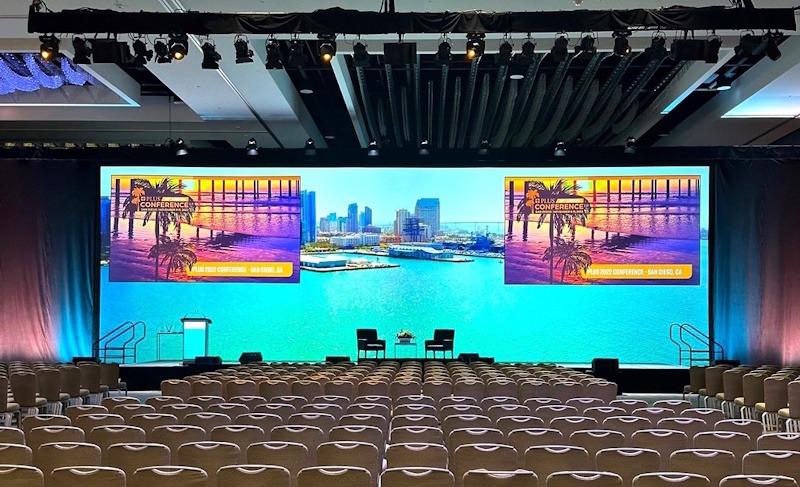
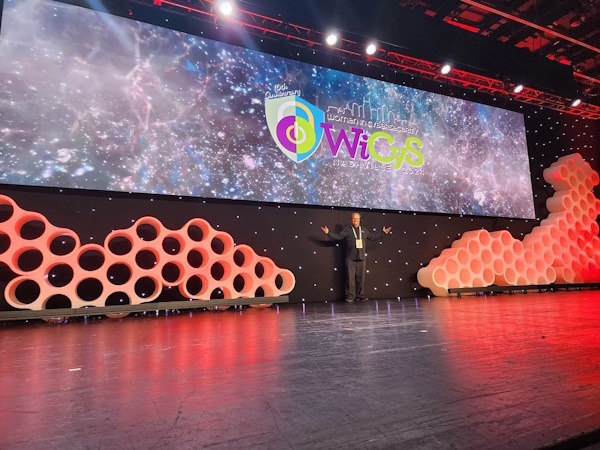
Creative Stage Design: From Concept to Reality
Your stage is your event’s first impression – we'll make it a great one.
Our scenic and stage design services turn your vision into an immersive environment. We’ll work with you to design a stage that mirrors your event theme, makes your presenters look great, and keeps your audience engaged from the moment they walk in.
Whether you want a sleek modern look or a vibrant custom theme, our team brings fresh creative ideas each year to produce unique, memorable experiences.
Portfolio of Event Technology Services
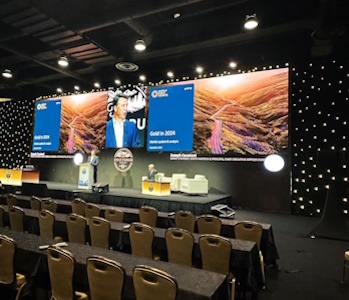
See how we bring thoughtful AV services and solutions to Associations and Corporations nationwide!
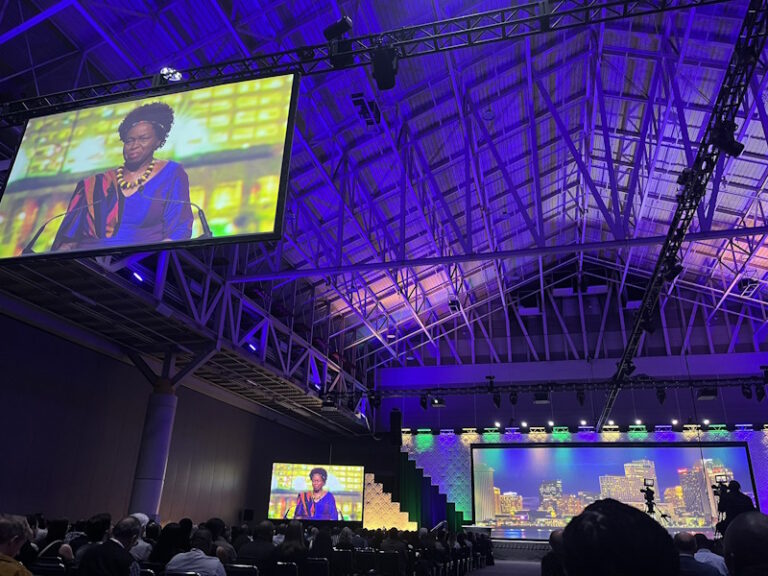
73rd ASTMH Annual Meeting
New Orleans, LA
New Orleans, Morial Convention Center
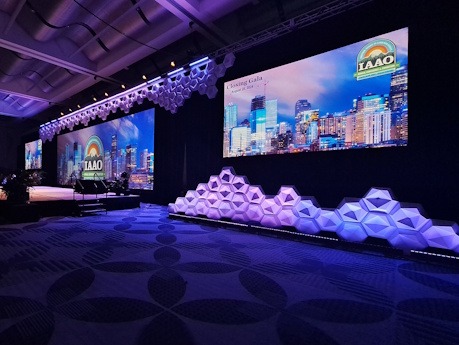
IAAO Annual Conference
Denver, Colorado
Colorado Convention Center, Denver, Colorado
What Our Clients Say
Trusted by Leading Organizations Nationwide
Image AV handles everything from initial planning and equipment setup to show-day operation and teardown. Our all-in-one approach means you have one point of contact, one contract, and 100% accountability from our team.
Serving Colorado and Beyond
Based in Colorado, we're the trusted audiovisual partner for venues across the state, including Denver, Colorado Convention Center, Breckenridge, Gaylord Rockies, and Wings over the Rockies. Beyond Colorado, we offer AV service locations in New Orleans, New York, Washington D.C., Orlando, Baltimore, Chicago, Nashville, Portland, Seattle, San Diego and more to provide nationwide event production services.
Join the associations, nonprofits, and corporations that rely on Image Audiovisuals for exceptional event production.








The Image AV Difference
Even More Reasons to Partner With Us
Choosing the right audio visual partner can make or break your event. Image AV’s proven process and people ensure your event runs smoothly and impresses your stakeholders. Here’s what sets us apart:
We provide every service you need – AV production, staging, streaming, content creation, and more – under one roof. No more managing multiple vendors or contracts. This streamlined approach saves you time, reduces complexity, and ensures nothing falls through the cracks.
With over three decades in the industry and thousands of successful events produced, we bring a depth of expertise that few can match. Our team has seen every scenario and will apply that knowledge to anticipate challenges and deliver flawless execution.
You get an experienced crew that stays with you. Many of our project managers and technical directors have been with Image AV for 20+ years, so you’ll enjoy working with the same reliable team year after year. We build long-term relationships and truly become an extension of your team, rather than a revolving door of new faces.
When you partner with Image AV, you gain a collaborator who is invested in your event’s success. We don’t just set up gear – we strategize with you, execute your vision, and have your back at every step. As countless event planners have discovered, having a true Event Technology partner in your corner means fewer headaches and more accolades when the event is over.
Your Event Technology Partners
Take Your Event to the Next Level
We’ve had the pleasure of producing events for organizations of all sizes – from national association conferences with thousands of attendees to intimate corporate leadership retreats. Explore some of our recent projects.


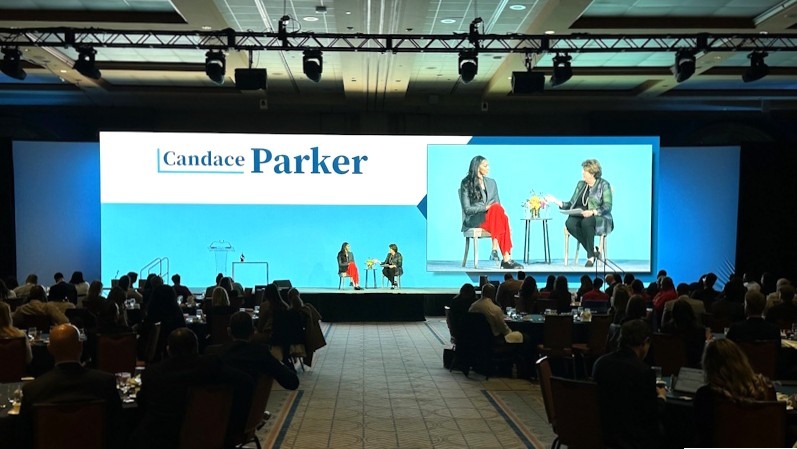
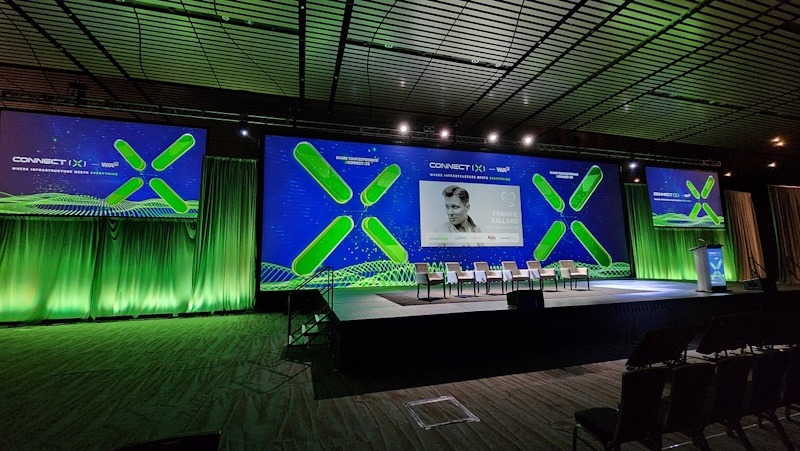
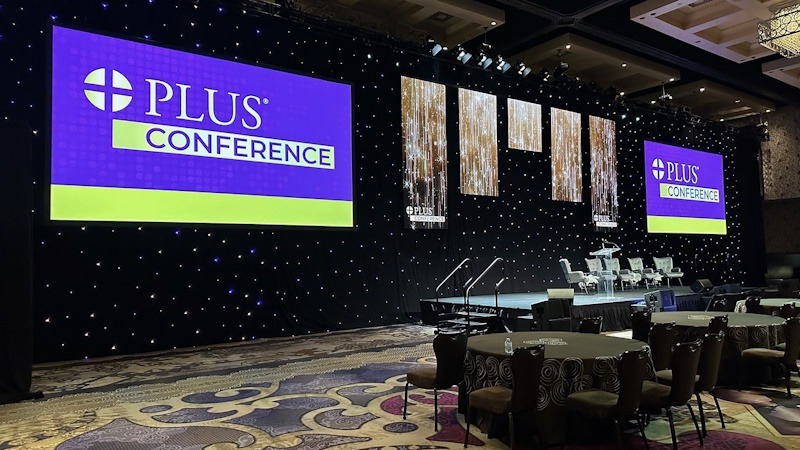


Get ideas and inspiration from our unique set designs, modular backdrops, dramatic lighting, LED walls, projection mapping and much more!
Frequently Asked Questions
Choosing the right audio visual partner can make or break your event. Image AV’s proven process and people ensure your event runs smoothly and impresses your stakeholders. Here’s what sets us apart:
Ready to Turn Your Next Event into a Unique and Memorable Experience?
Contact Image Audiovisuals for your free consultation and let us handle the event technology complexities, so you can focus on what you do best: delivering a great event for your attendees.
We’re here to make sure your message shines bright and every moment runs smoothly. Let’s make your event the one that attendees rave about for years to come!